Product tour
Certificates, repairs, tenancies and tasks for every property you manage.
See what needs attention, give it to someone and keep the evidence, beside the CRM you already use.
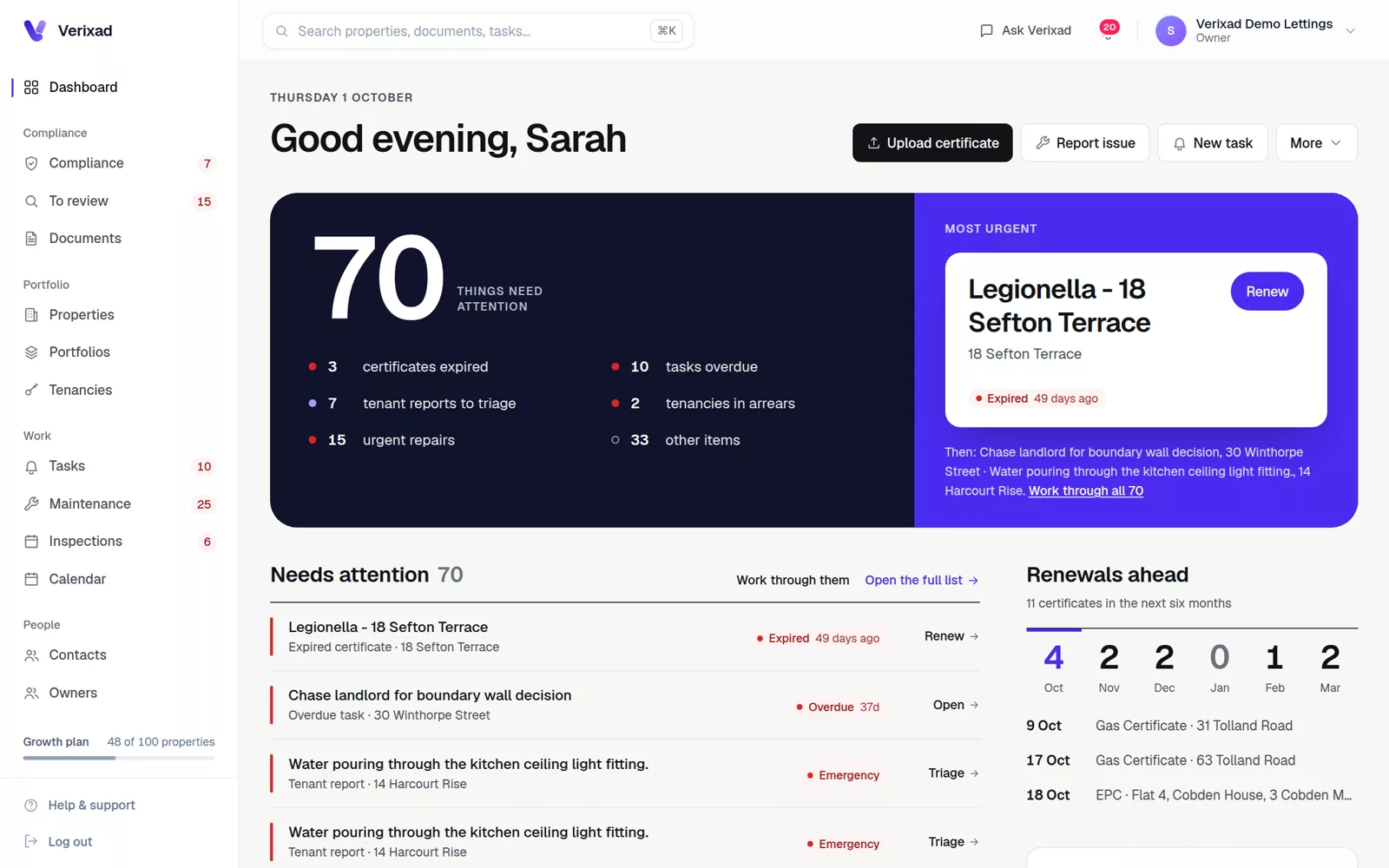
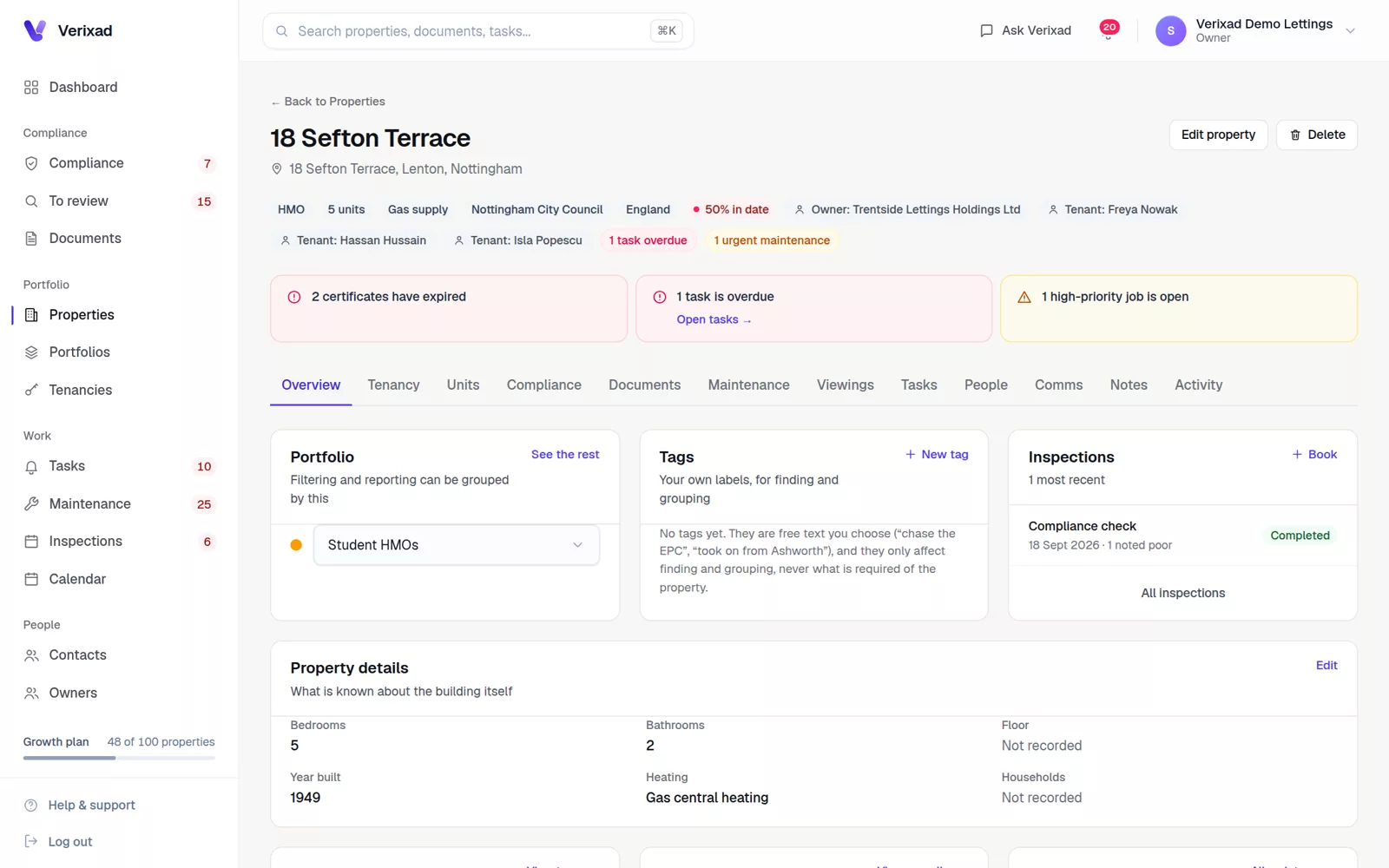
Properties and tenancies
Every property, with its tenancy and the people around it
Open a property to see who lives there, what is on file and what is overdue.
- Residential, HMO and commercial, with units
- Tenancies, rent schedules and arrears tracking
- Landlords, tenants and contractors linked
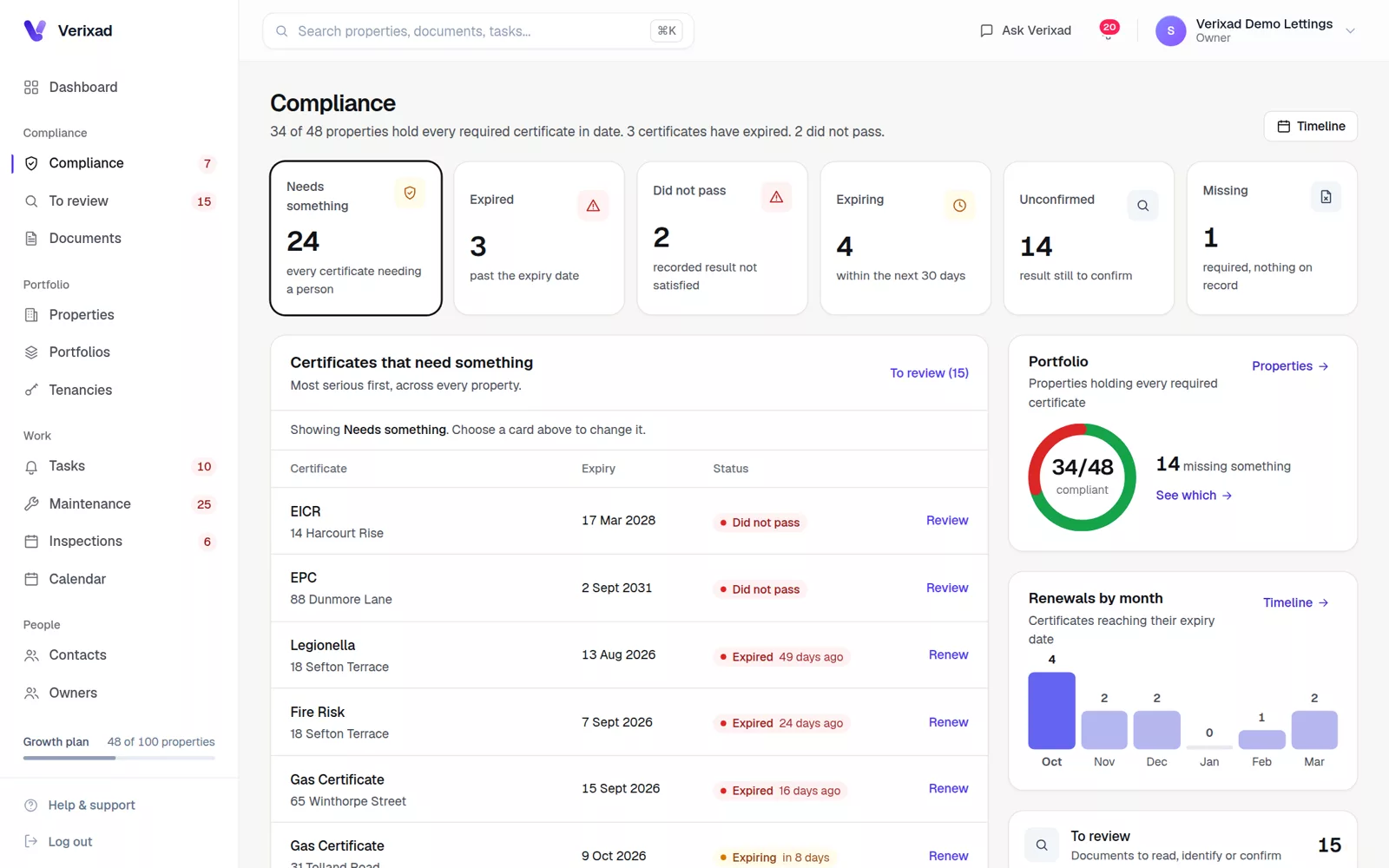
Documents and compliance
See what is expiring, raise the renewal, keep the new certificate
Gas Safety, EICR, EPC and fire risk, each shown as in date, expiring, expired, missing or waiting to be confirmed. The rules are in the guides on gas safety, EICRs and the PRS Database.
- Required certificates per property, with HMO rules
- One compliance page for the whole portfolio
Tasks and maintenance
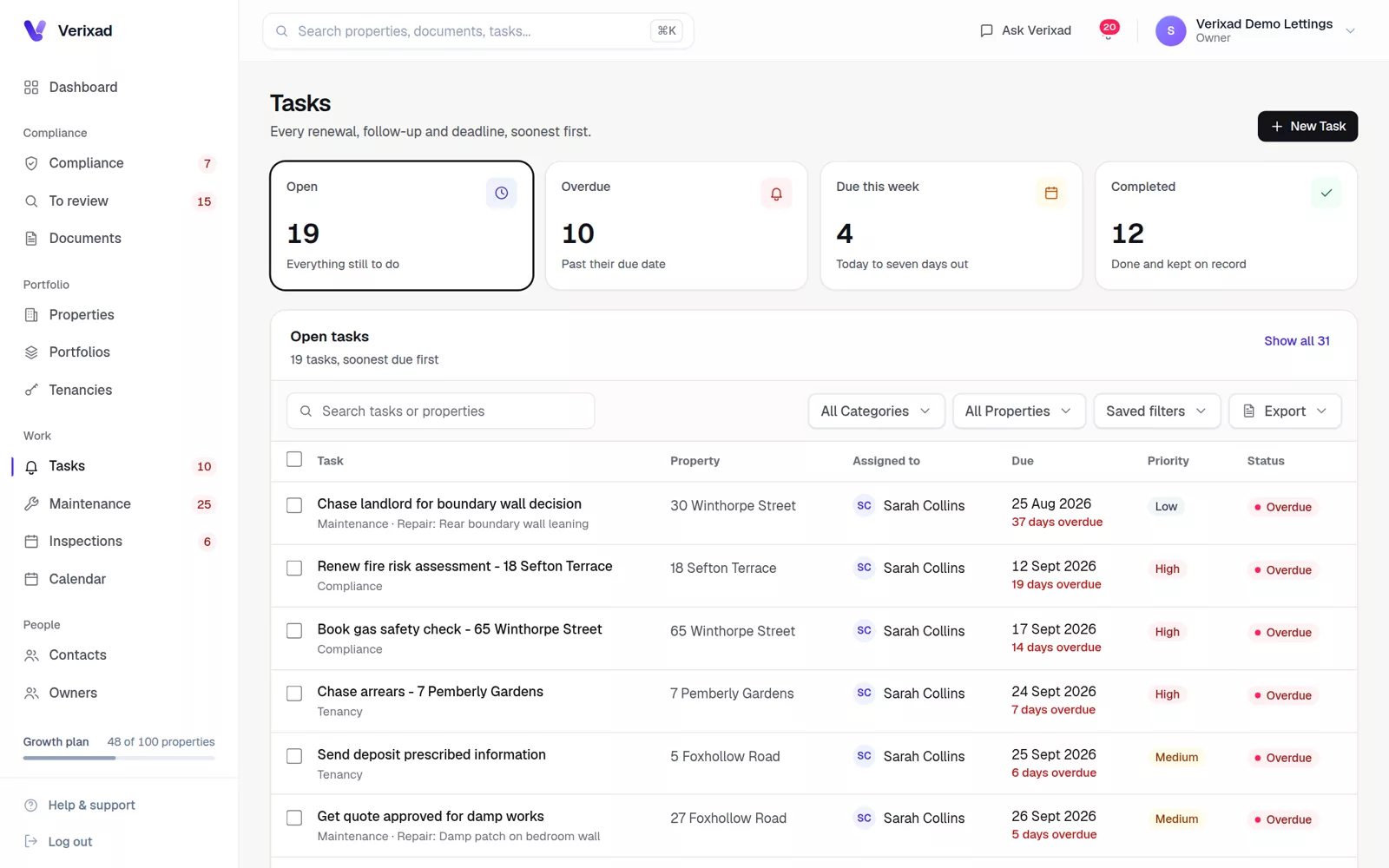
Repairs and tasks, each with a name and a due date
Jobs and tasks sit on the property they belong to, so the next step is always in view.
A simple maintenance workflow- A repair link for your website; tenants need no account
- Jobs with priority, status and the contractor
- Overdue tasks shown on the dashboard
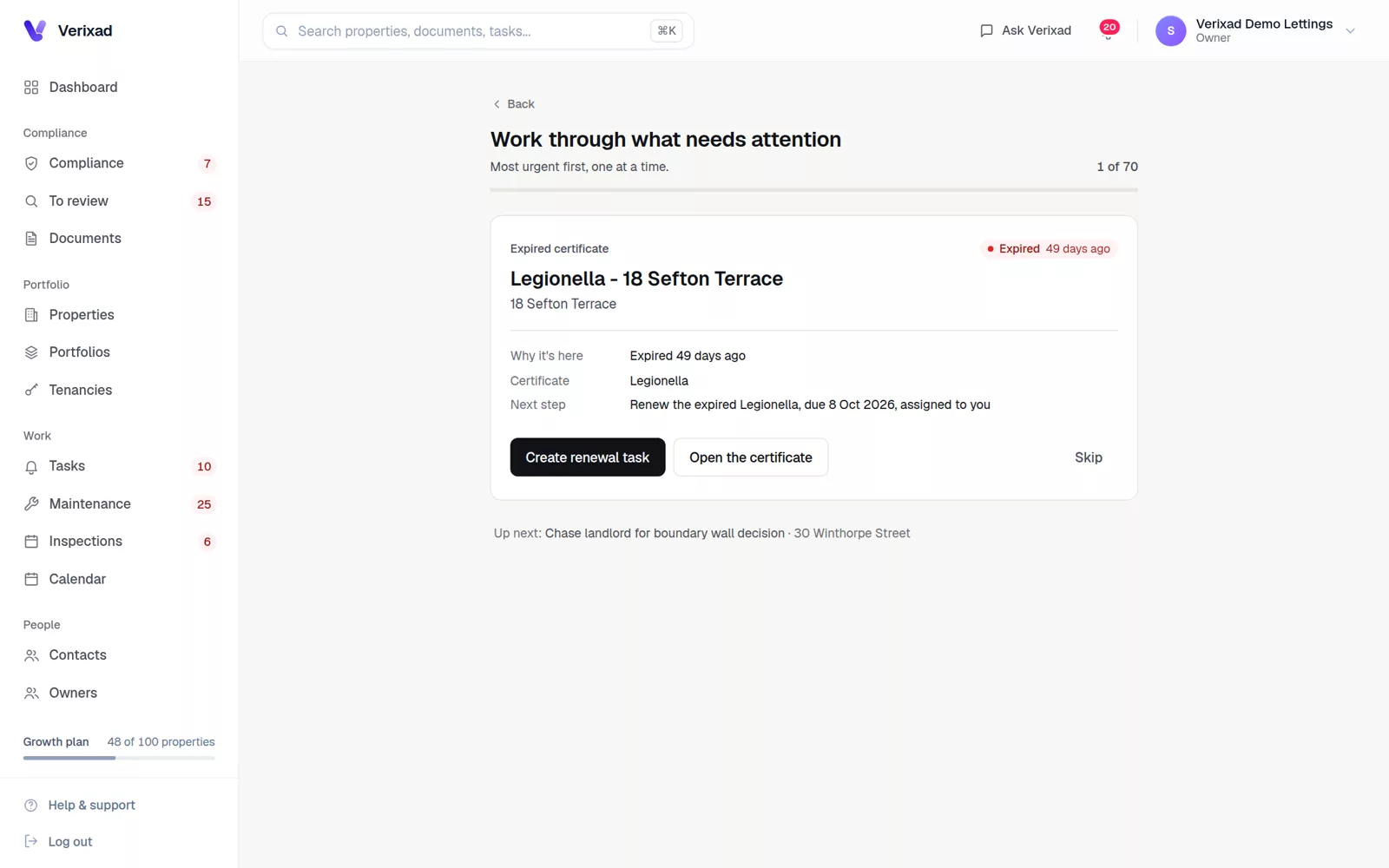
Documents read for you
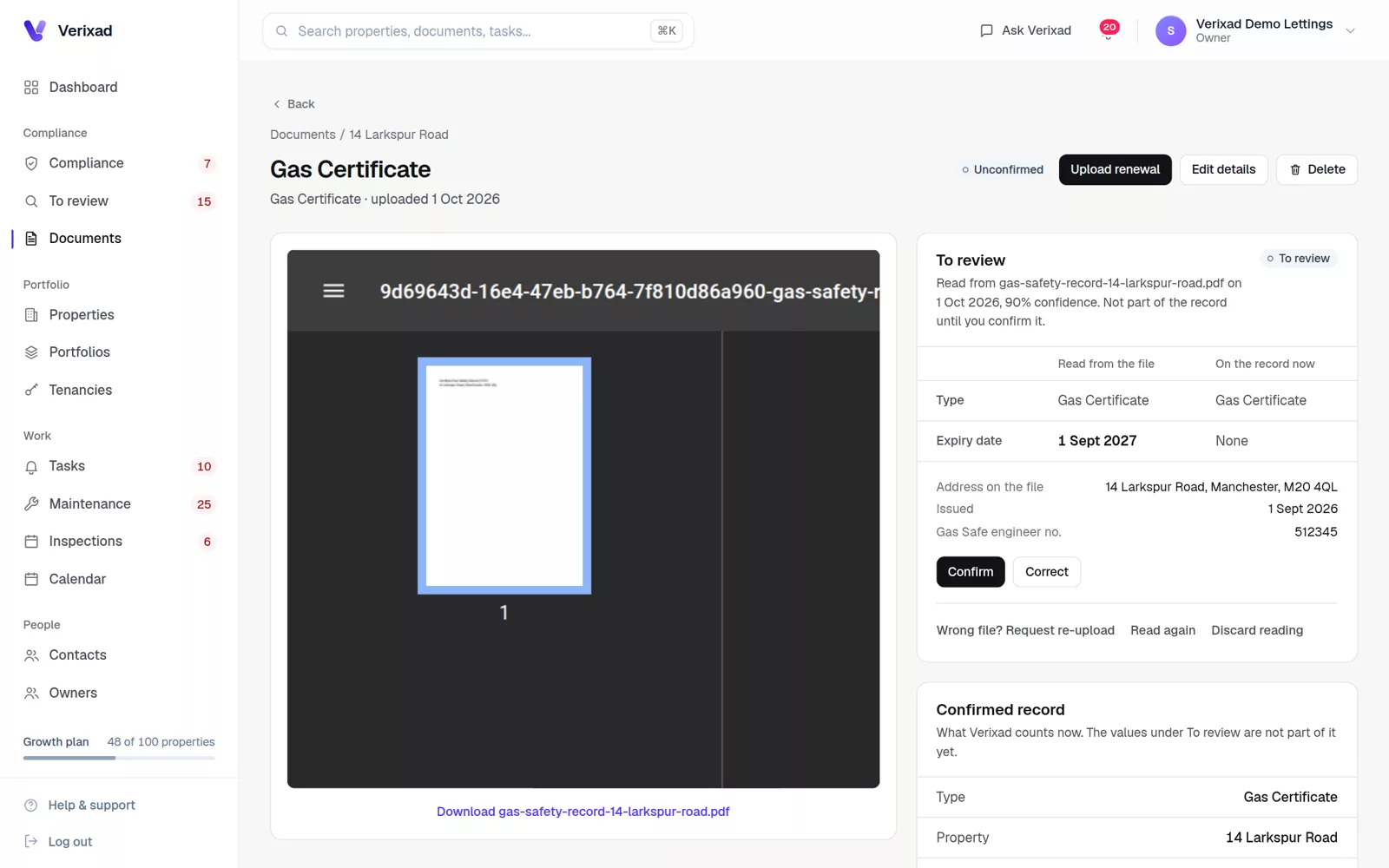
Drop in a certificate. Verixad reads it, you confirm it.
The type, dates and address are suggested from the file. Nothing becomes the record until someone on your team confirms it.
Moving off the spreadsheet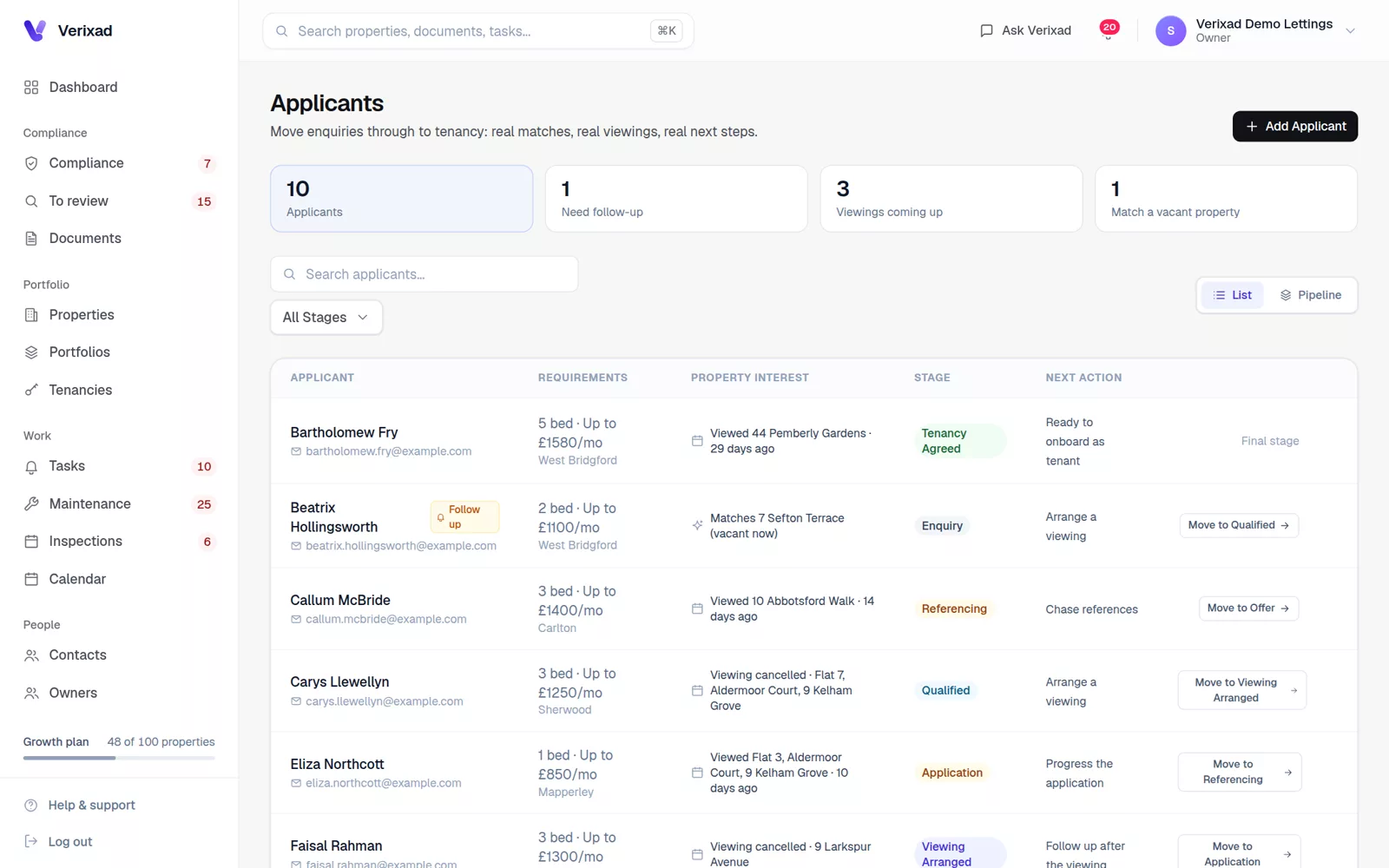
Applicants and viewings
The lettings pipeline beside the portfolio
Applicants, viewings and feedback stay connected to the property, so turning an applicant into a tenancy takes one step.
Tenancies after the Renters' Rights ActEach morning
Only on days a certificate is expiring or a task is overdue. On for the account owner; colleagues can switch theirs on.
Every Monday
The week ahead: expiring documents, arrears and open repairs.
Always
A record of every email sent.
Also included
The rest of the workspace, on every plan
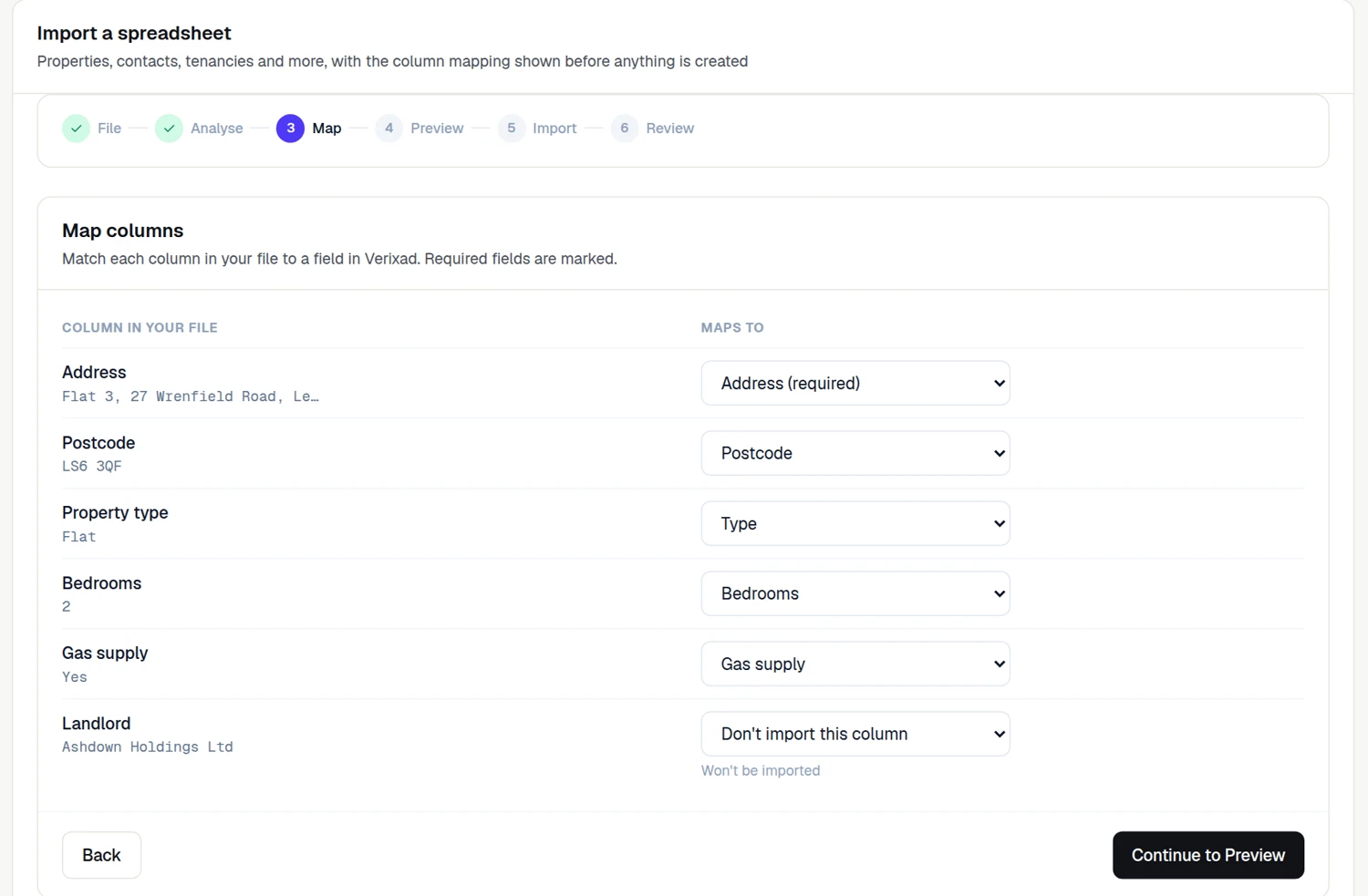
Spreadsheet import
Nine record types. Check how the columns match before anything is saved.
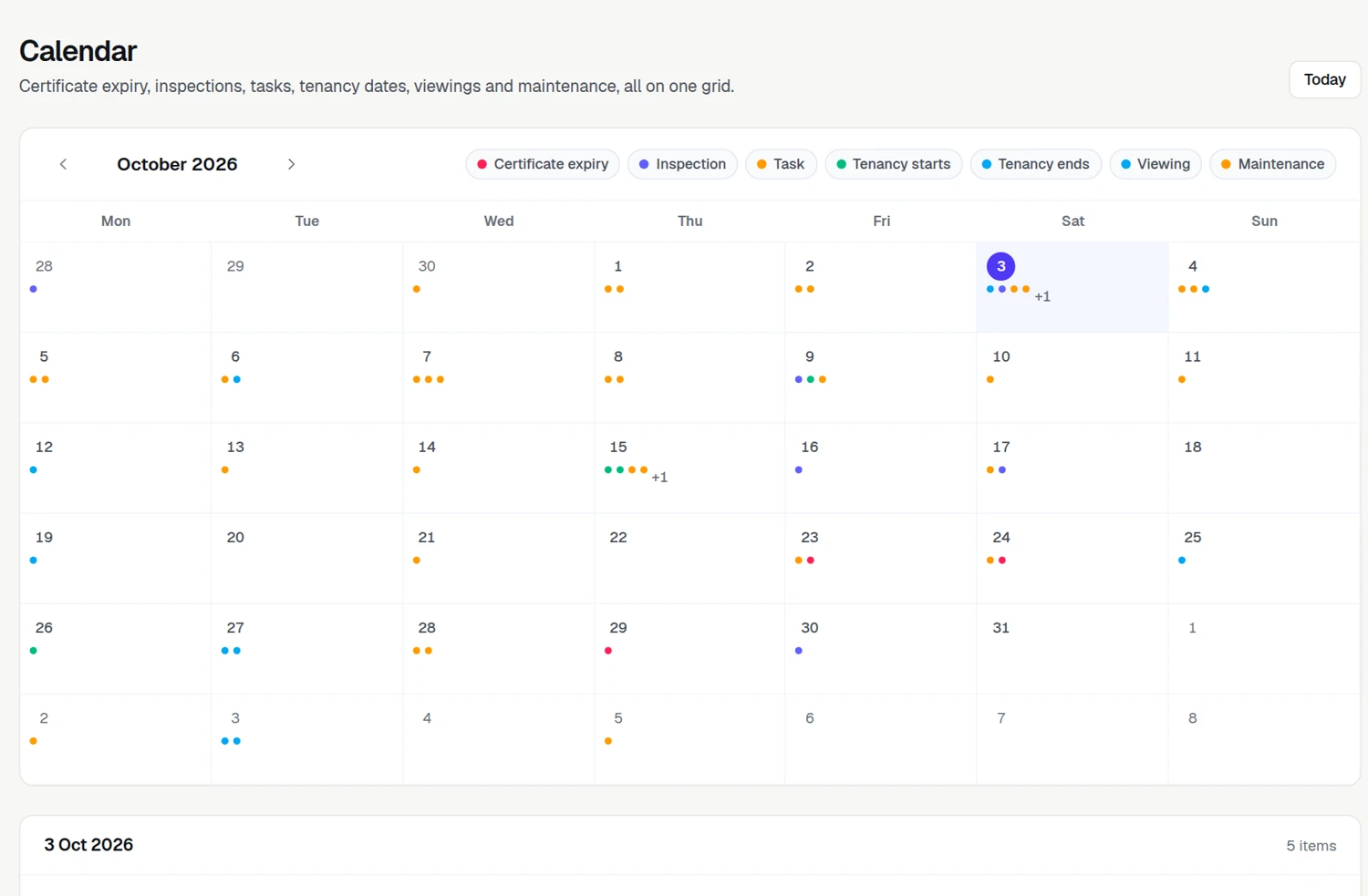
Example data Calendar
Every expiry, inspection, task and viewing on one grid.
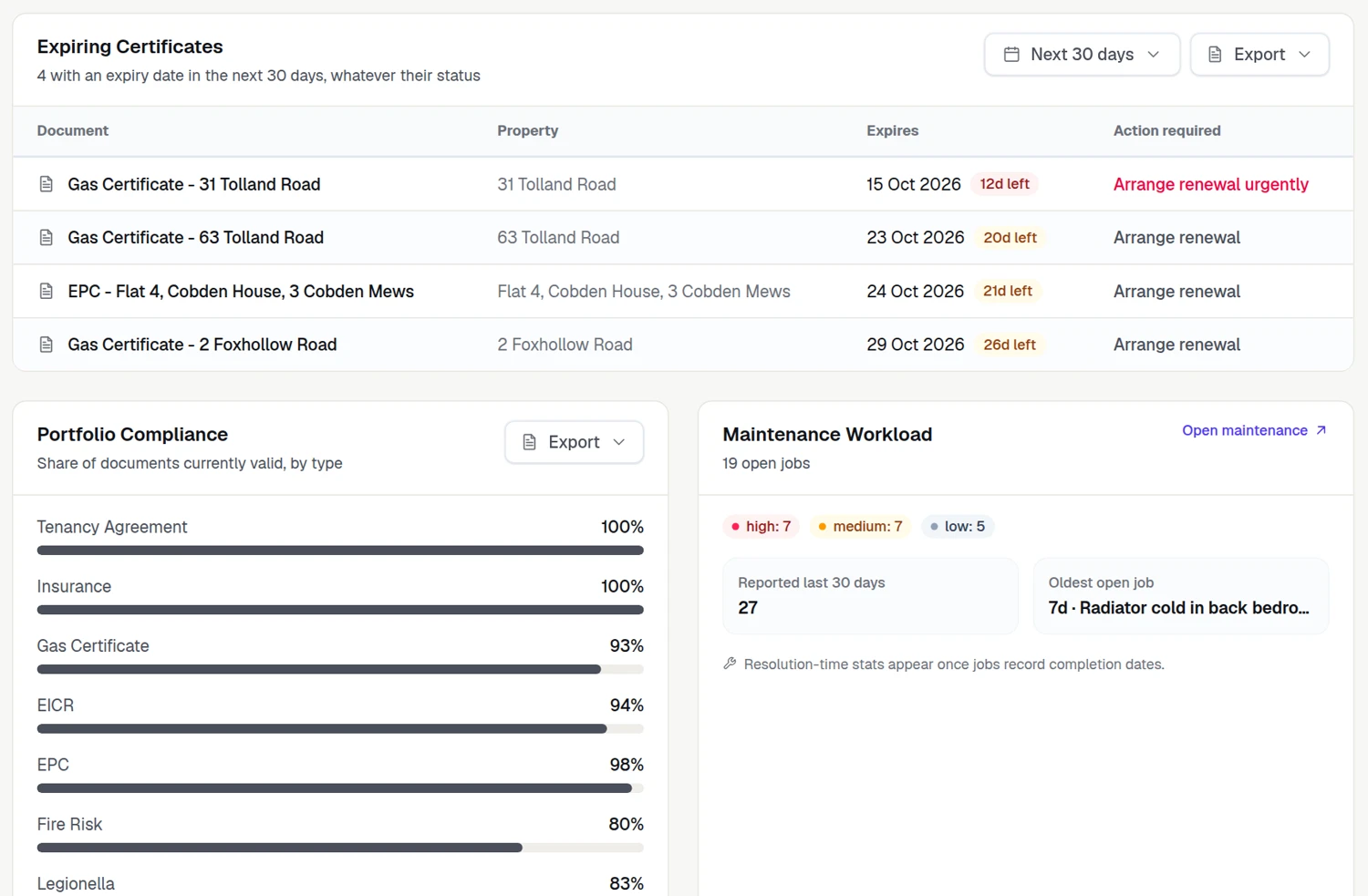
Example data Reports
Expiring certificates, compliance by type, rent and more, as CSV or PDF.
Example data
Team roles
Invite colleagues into roles, with two-factor sign-in.
Inspections
Move-in, routine and move-out visits, with checklists.
Rent reviews
When the next increase is due, and what to prepare.
To review
One queue of everything waiting on a person.
Evidence packs
A property's compliance position, or a landlord's, on one printable page.
Portfolios
Group properties by landlord, block or branch.
Contractors
Their jobs, and whether their insurance is in date.
Automations
Set the next step to follow when something happens.
A 60-day bin
Undo a wrong delete yourself, for 60 days.
Every plan, every feature